See how strong your pipeline really is.
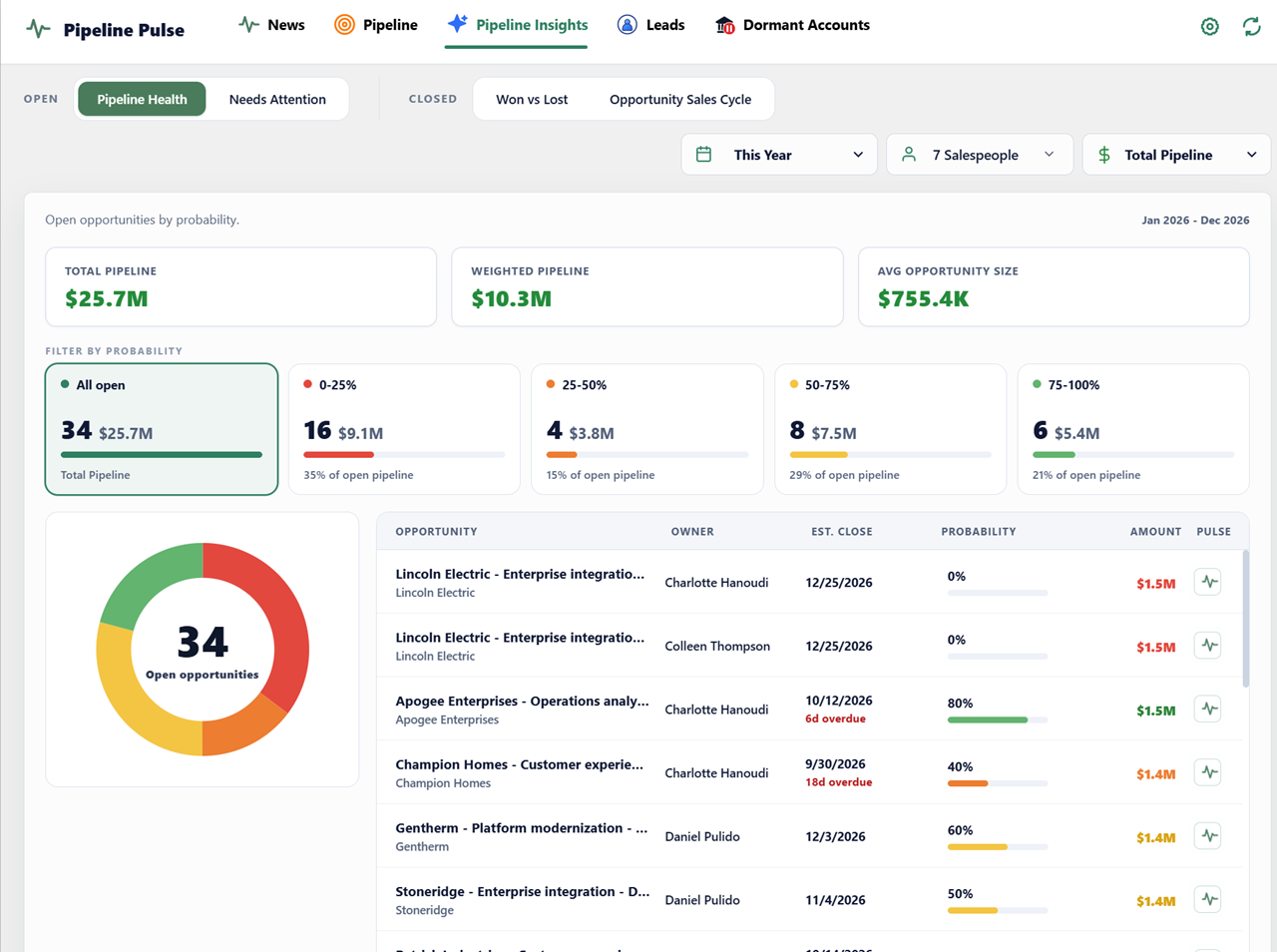
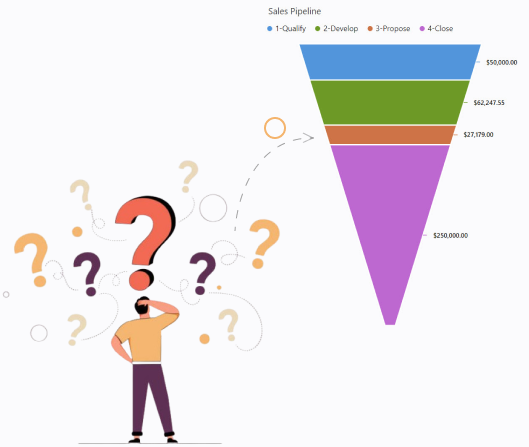
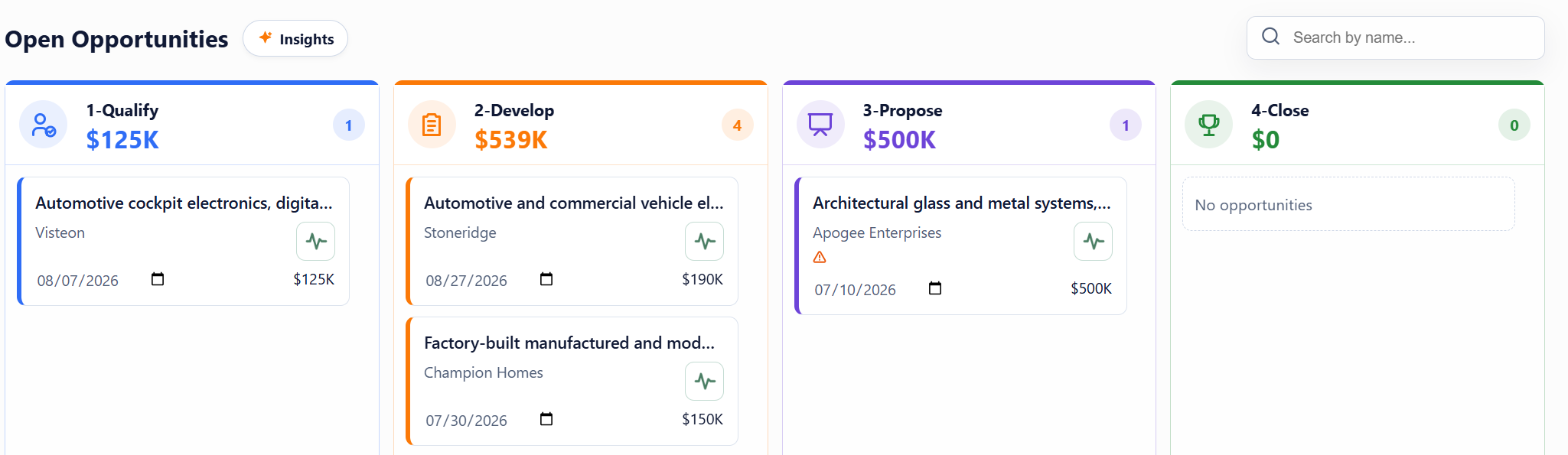
What you seeOpportunity count and value grouped by probability, so you can assess the mix behind your total.
Spot slipping deals, uncover timely reasons to engage, and focus your team on the opportunities that need action—all inside Dynamics 365.
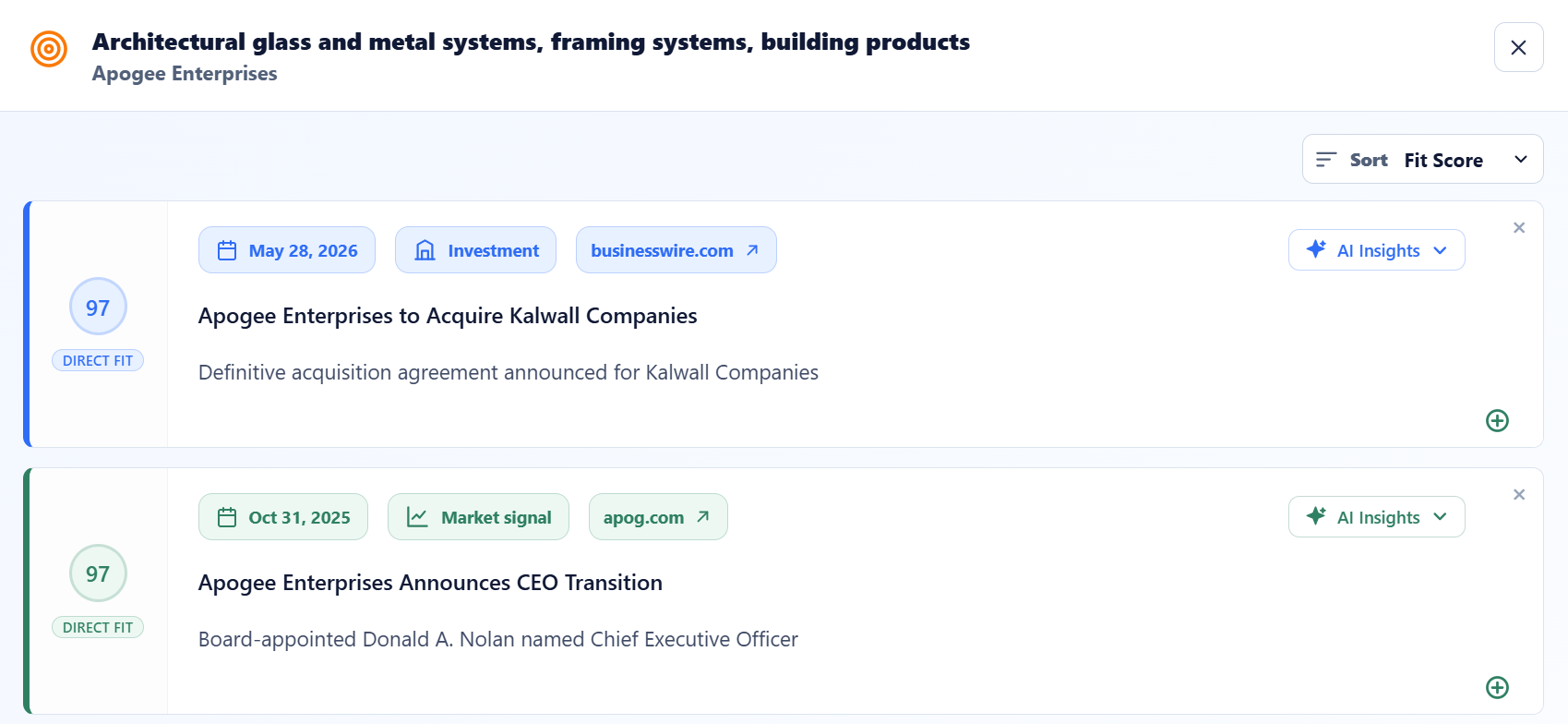
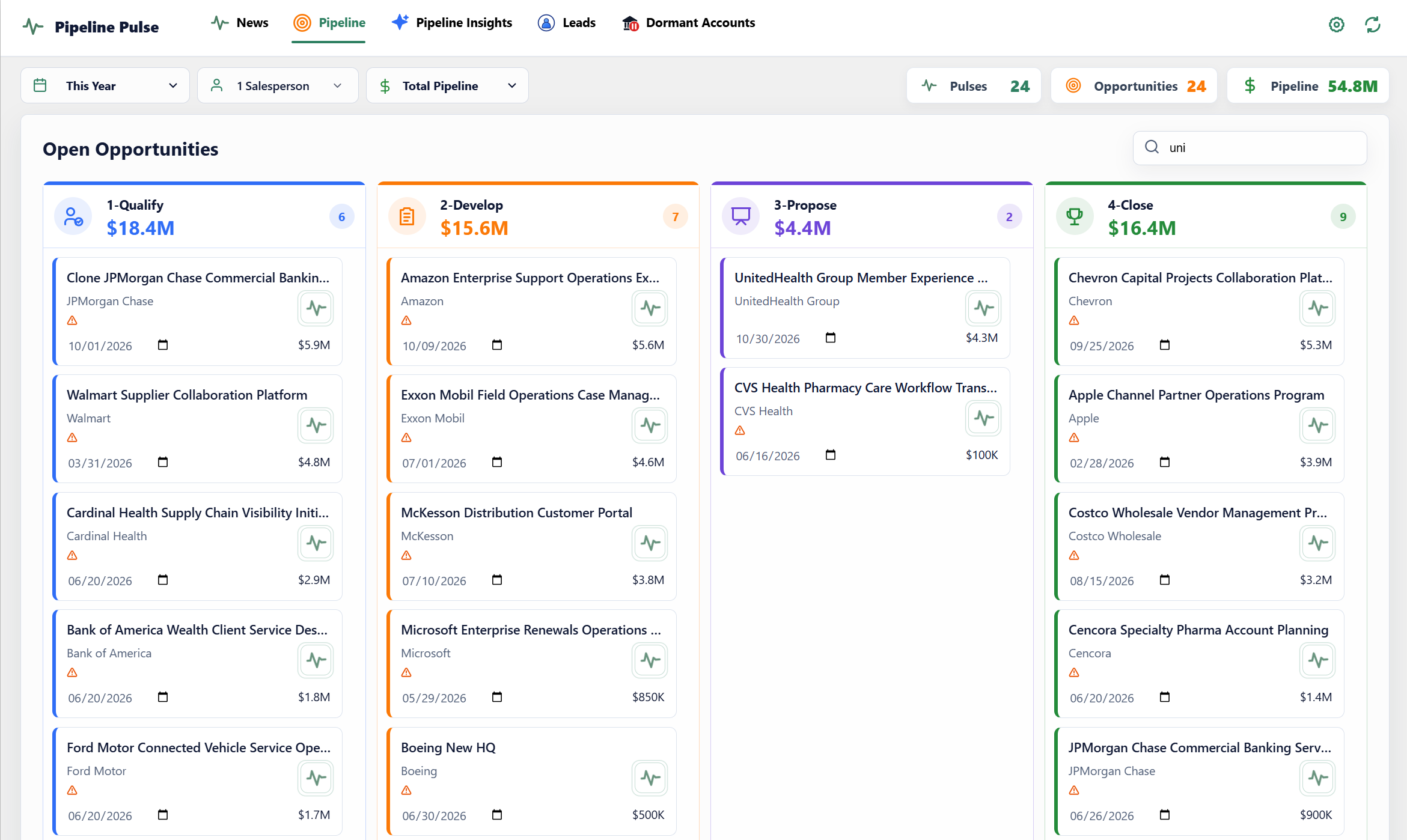
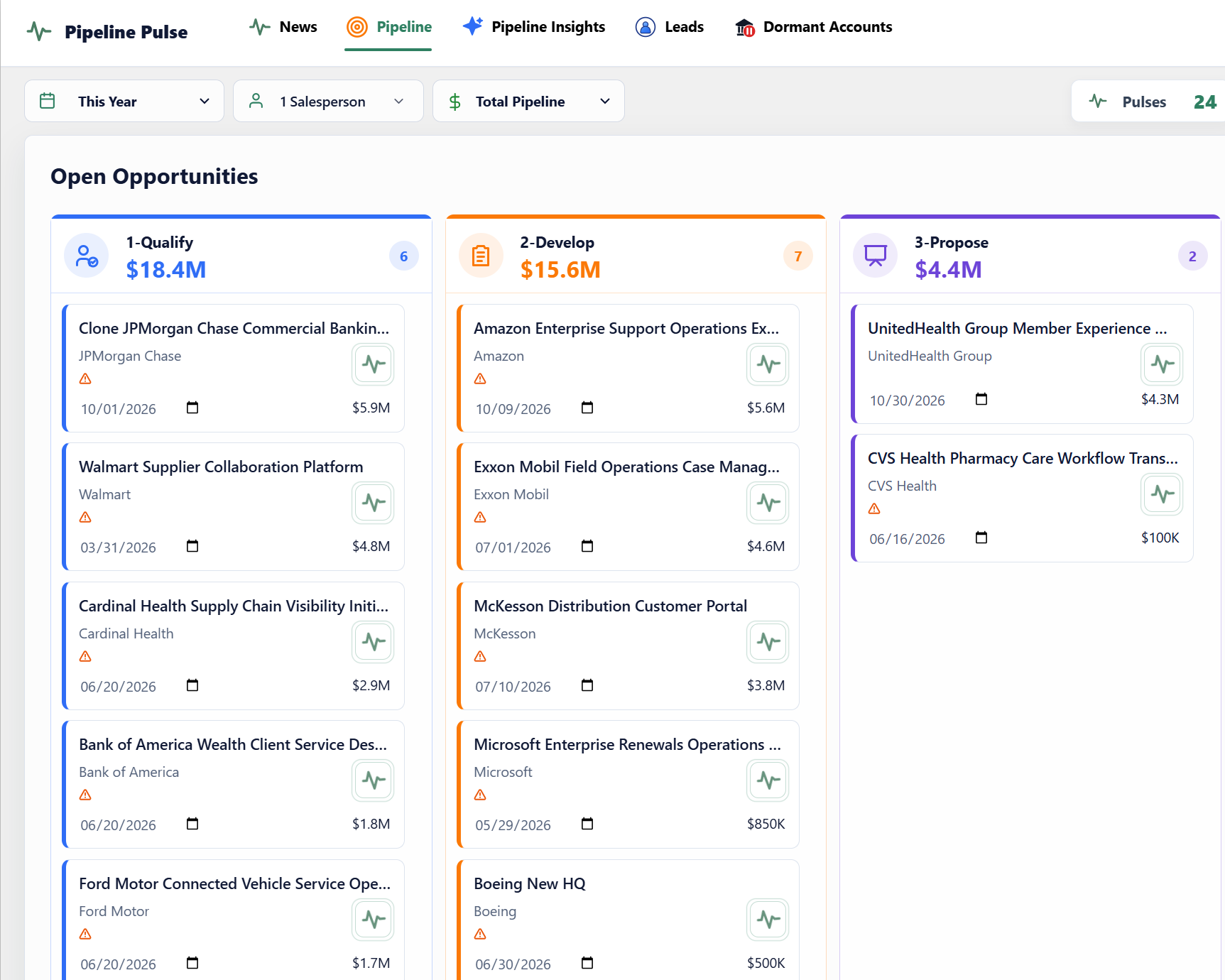
UnitedHealth Group disclosed a $3.3B acquisition this week. How does this acquisition at one of your accounts impact your business?
Built and shipped by a team that has lived inside Dynamics 365 for a decade.
Pipeline Pulse installs as a Microsoft AppSource solution, reviewed and signed.
Pulse turns outside signals into the selling angle and next action for each account.
About 2 hours of IT/admin setup; allow up to 24 hours for the first insights.
Sales teams using Dynamics 365 online who want clearer deal reviews and timely reasons to engage their accounts.
Evaluate sales signals and pipeline insights in your own Dynamics 365 environment, with no upfront payment.
Plan for about 2 hours of IT/admin time, then allow up to 24 hours for the first research run.
See the setup checklist →Plans start at $1,000/month. Your cost depends on record volume and refresh frequency, with automatic volume discounts.
Calculate your monthly cost →“You can’t improve what you don’t measure.”
Timely signals keep your reps in front of active buyers. But without visibility into deal velocity and risk, forecasts still fall apart. Four focused Dynamics 365 views bring together pipeline health, at-risk opportunities that need attention, win/loss patterns, and opportunity sales-cycle trends.
What you seeOpportunity count and value grouped by probability, so you can assess the mix behind your total.
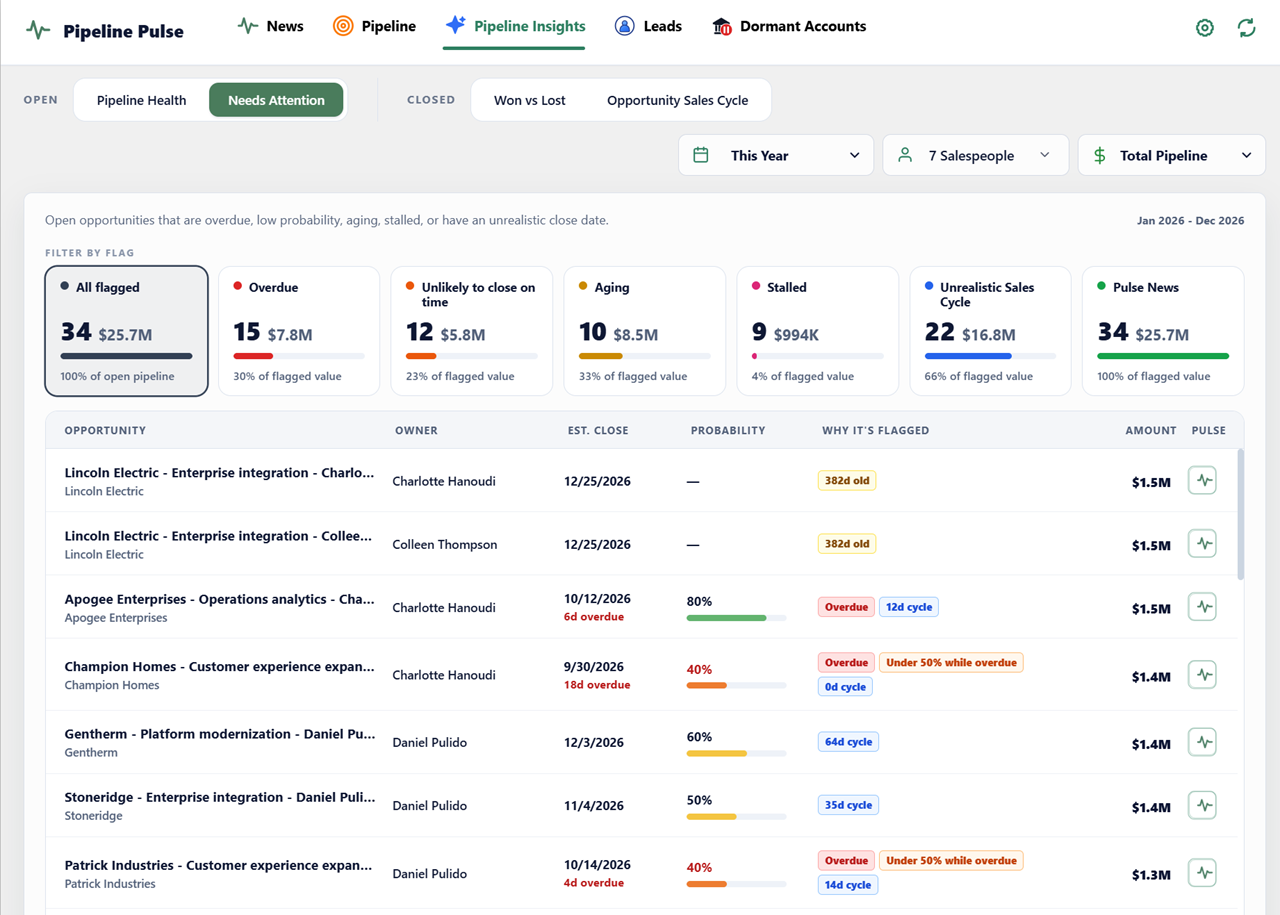
What you seeAt-risk opportunities flagged as overdue, unlikely to close on time, aging, stalled, or outside a realistic sales cycle, plus relevant Pulse News.
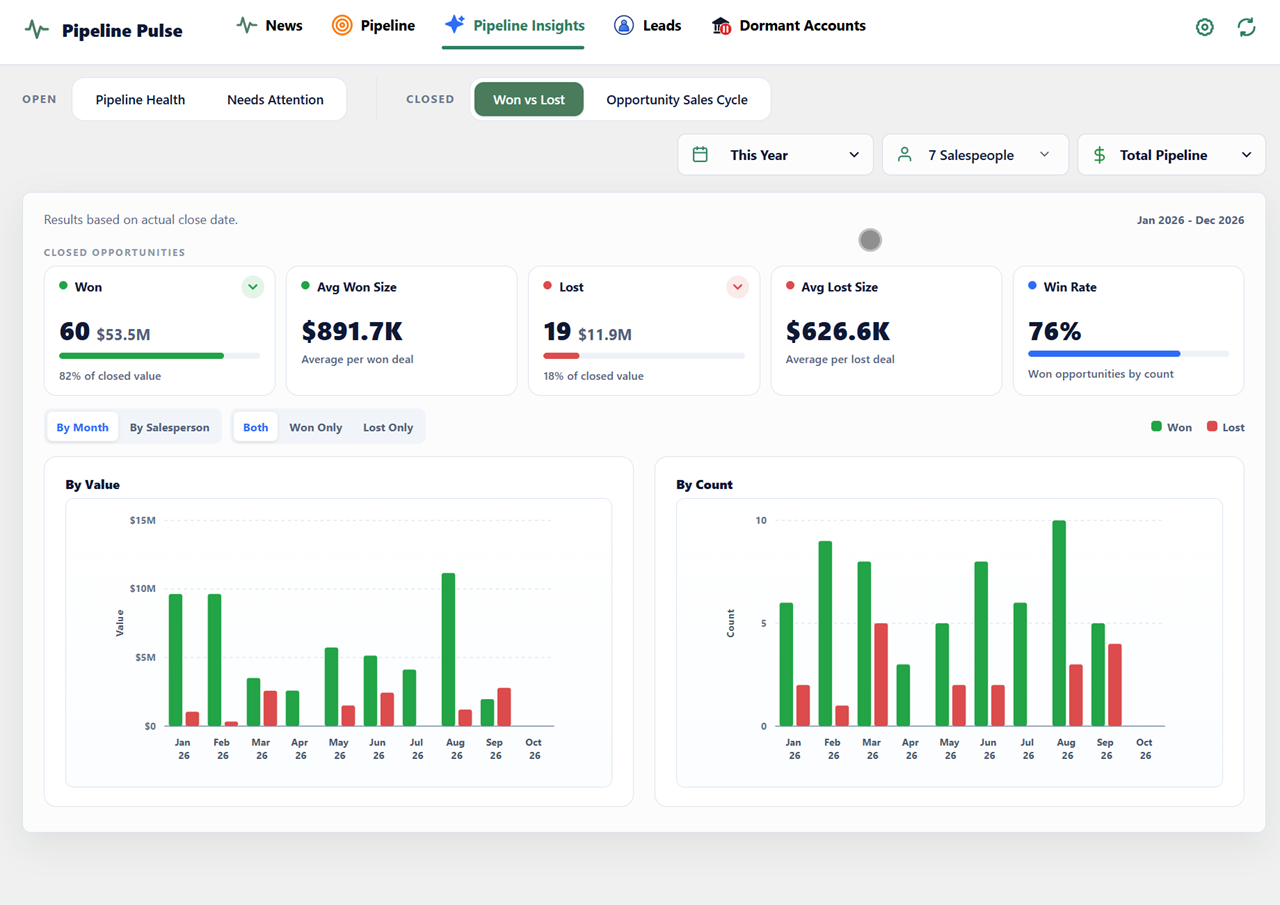
What you seeWon and lost opportunities by deal size and salesperson, alongside your overall win rate.
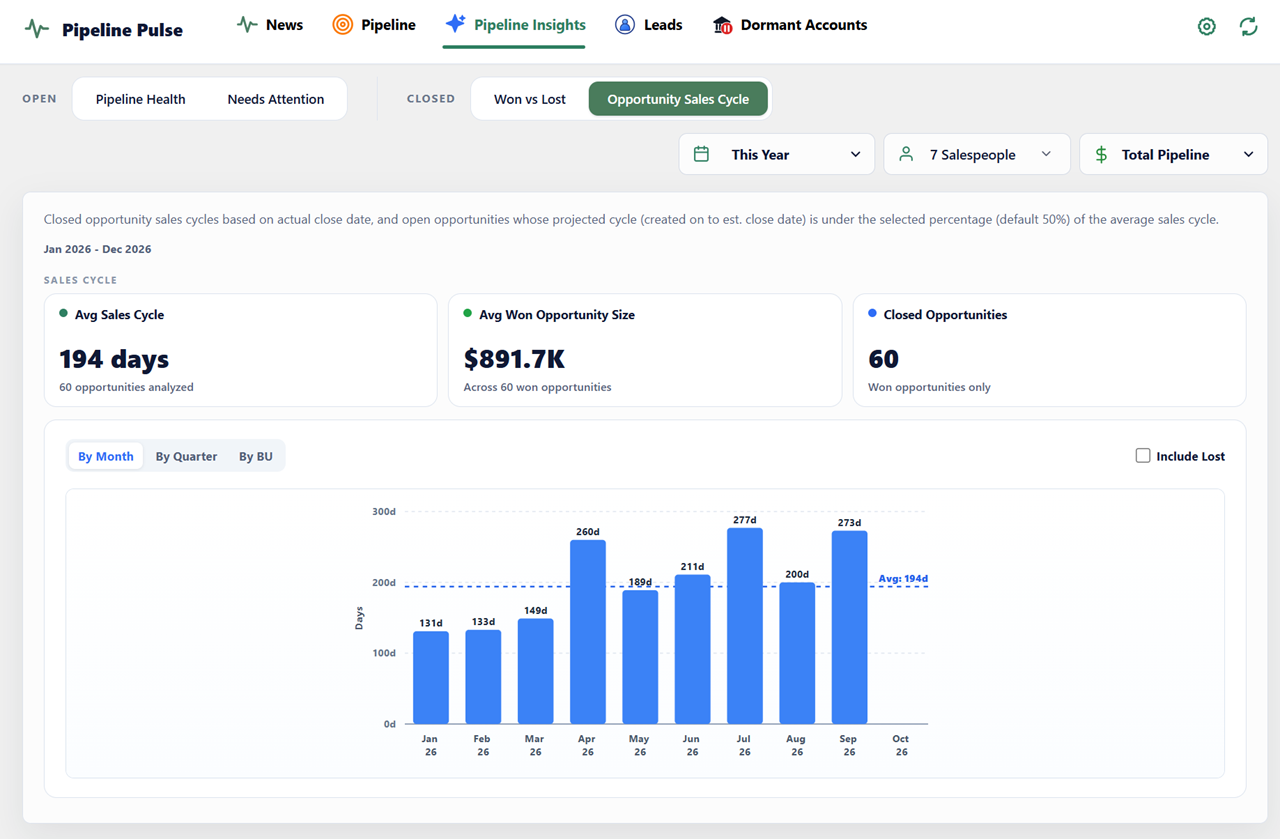
What you seeAverage days to close, average won opportunity size, and closed-opportunity volume, with monthly, quarterly, and business-unit views.
Give reps more time for relevant outreach and managers a clearer view of where to focus coaching and follow-up.
Reps get flooded with irrelevant headline noise and missed filings. By the time a generic alert looks interesting, competitors are already on the phone.
Every hour spent checking news and company websites is an hour unavailable for customer conversations. Bring relevant signals into Dynamics so reps can spend more time following up.
CRM notes are weeks old and aggregate pipeline totals conceal decaying deals. Leaders spend forecast calls interrogating reps rather than coaching.
Most sales intelligence platforms demand custom schemas, third-party data storage, and months of onboarding that IT teams rightfully reject.
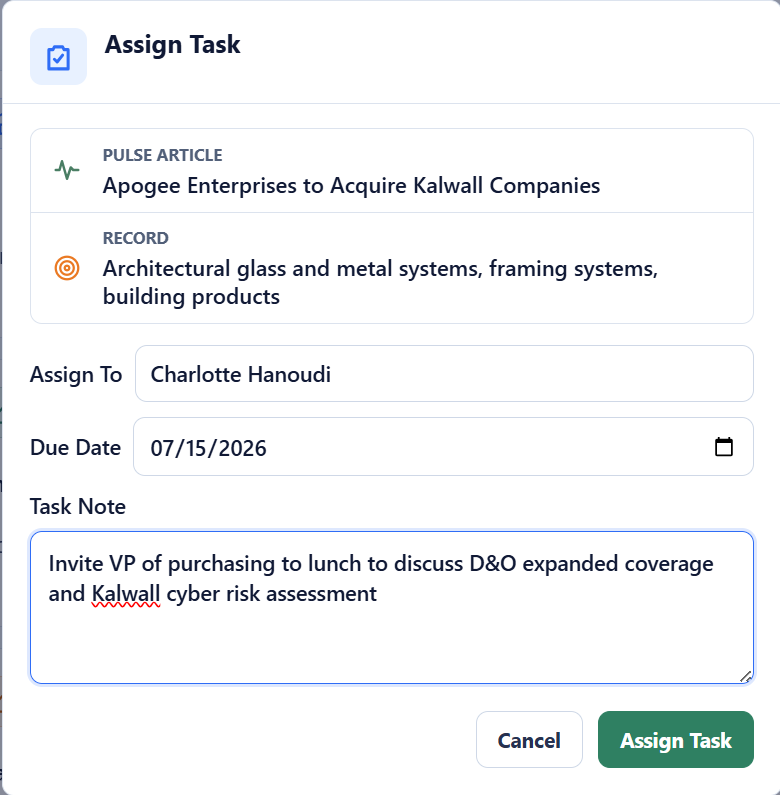
Illustrative sales workflows: from a business change to a customer need, a relevant conversation, and a clear next step. See how Pulse works for insurance teams →
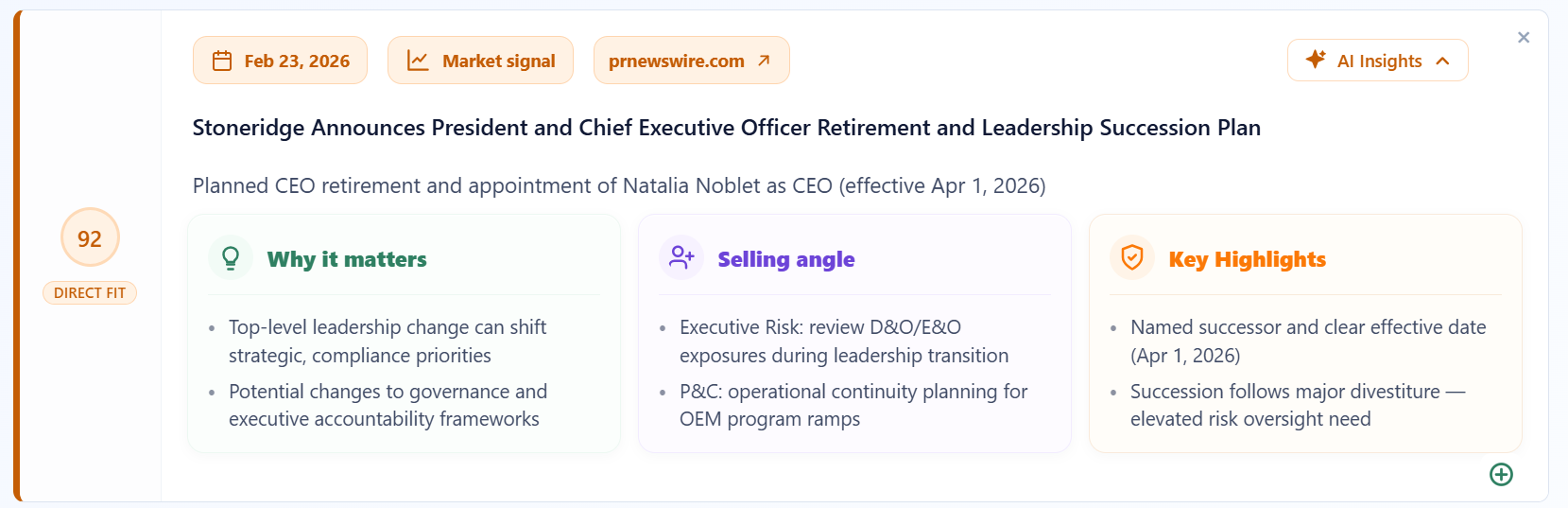
A planned CEO succession creates a reason to revisit the company’s priorities.
A new leader often re-evaluates strategy, budgets, and vendor relationships.
Reach out with ideas aligned to the incoming leadership team’s priorities.
Give your rep a specific reason to reconnect and explore a relevant conversation.
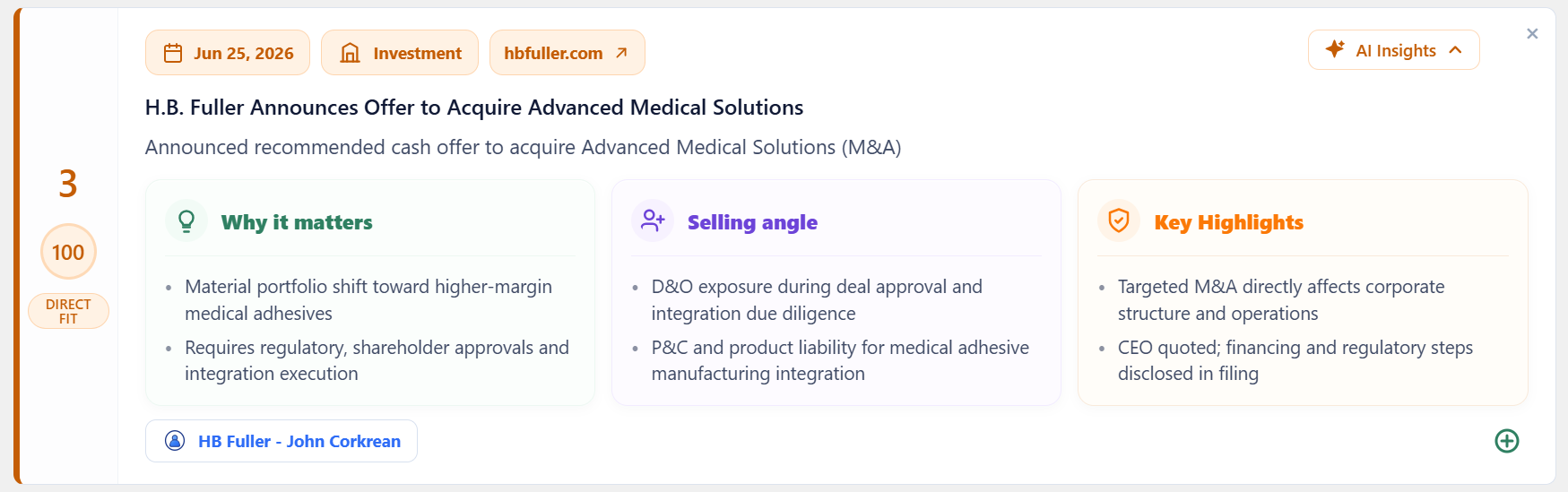
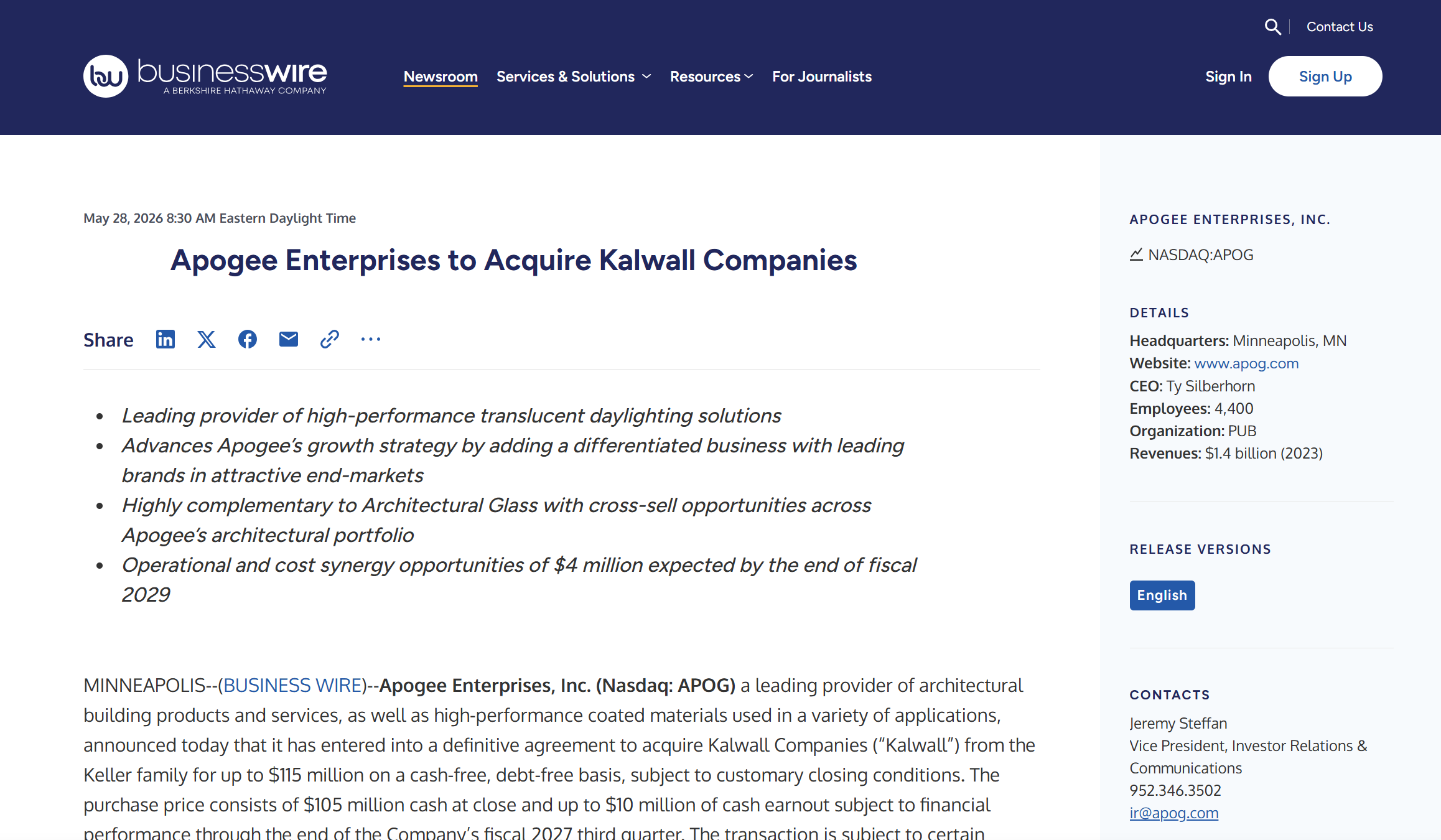
A proposed acquisition could expand the company’s operations and priorities.
Integration planning creates new requirements across systems, teams, and suppliers.
Offer a conversation with the finance or operations team about questions to address during integration.
Help your rep start a relevant conversation while the customer is evaluating its needs.
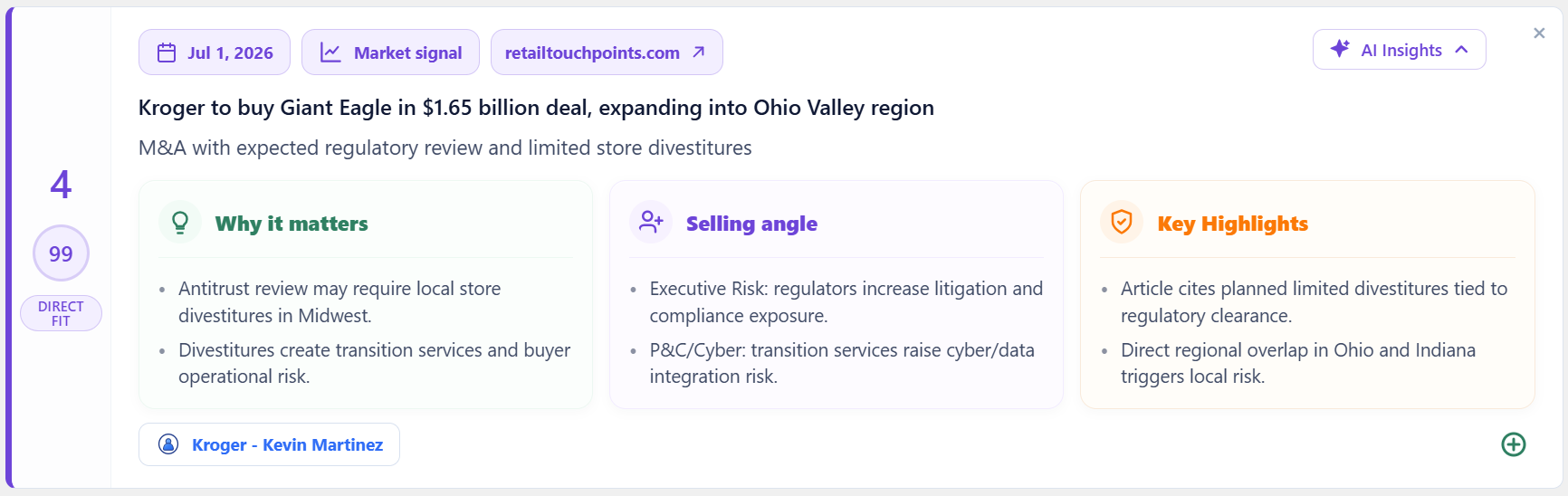
The acquisition creates new integration work across an expanded retail operation.
Review how operational changes and connected systems could create new needs.
Use the announcement to propose an integration planning conversation with the relevant team.
Focus account planning on a specific customer priority and explore where additional support may be useful.
Compare Pipeline Pulse with Microsoft Dynamics 365 Sales Insights →
Pulse ranks signals based on your territory.
How Pulse fits into Dynamics 365, what it shows, and how customer data is handled.
Pipeline Pulse brings timely account signals and focused pipeline views into Dynamics 365. It connects verifiable market events to Accounts, Leads, and opportunities so reps can see who needs attention and why.
Pipeline Pulse organizes overdue close dates, low-probability opportunities, stalled stages, deal value, owner, and urgency into an at-risk view. Managers can use that view to focus reviews on deals that may need intervention.
Pipeline Pulse provides four focused views: Pipeline Health, Needs Attention, Won vs Lost, and Opportunity Sales Cycle. Leaders can filter the underlying records to investigate at-risk opportunities, win/loss patterns, sales-cycle duration, and where coaching or follow-up may help.
Pulse combines CRM context with external research on Accounts and Leads. Signals are ranked by configured fit and urgency so reps receive a focused list with source links, relevance explanations, and possible conversation angles.
Pipeline Pulse delivers native Dataverse sales insights with zero external data retention. Delivered as a Microsoft AppSource managed solution with all schema updates packaged in the solution, it only reads four public fields (name, website, city, state) on Leads and Accounts, including the parent account of each opportunity, for external research. All opportunity scores, insights, and news summaries are written directly back into your Microsoft tenant.
Pipeline Pulse pricing is transparent and usage-based according to record volume and refresh frequency, starting with a 30-day free trial on Microsoft Marketplace on your real Dynamics data with no upfront payment. You can book a 30-minute Pipeline Pulse demo to see a live walkthrough and evaluate fit for your team.
Book a 30-minute walkthrough of pipeline risks, win/loss patterns, and timely sales signals inside Dynamics 365, or start a 30-day free trial from Microsoft Marketplace with your own data and no upfront payment.
All 4 sales stages · 24 opportunities · AI signals & market trigger alerts